


 Optical Transceiver
 DAC/AOC Cable
 Fiber Cabling
 Networking
Blog, Network Cabling
MDF vs IDF: What Are the Differences?
Apr
For network connectivity, data flow is crucial. Especially for commercial institutions, data centers, and industrial facilities. Among them, two elements are key: MDF vs. IDF. For some first-time participants in network installation or maintenance, these two concepts may be confusing. But at the same time, it is quite important to have a detailed understanding of these two and their differences.
This article provides an overview of the Main Distribution Frame (MDF) and the Intermediate Distribution Frame (IDF), and their differences.
Table of contents
What Is an MDF (Main Distribution Frame)?
Definition and Functions
MDF is a core component in network and telecommunications cabling systems, typically located in equipment rooms or central computer rooms of buildings. Its main function is to connect external and internal network devices. For example, connecting a phone or fiber optic cable to a server or switch. Simultaneously achieve centralized management and allocation of these lines.
Components
An MDF typically consists of the following parts:
- Distribution frame: used to connect and manage various types of cables.
- Connection block: used to physically connect terminal devices.
- Jumper area: used for flexible connections and line management.
- Network equipment: such as main routers, switches, servers, etc.
- Security devices: for example, firewalls, uninterruptible power supplies (UPS), etc.
Recommended products
-
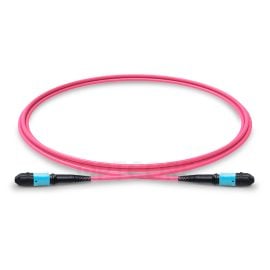
50/125 Multimode OM4 MPO Fiber Trunk Cable, 12 Fiber, Female, Type A, LSZH
Price range: US$ 21.10 through US$ 283.50 (Excl. VAT) -
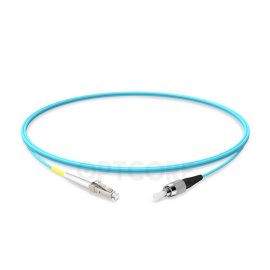
LC-FC 10G OM3 Multimode Simplex PVC Fiber Optic Patch Cable
-
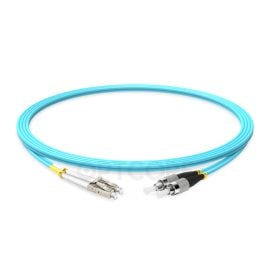
LC-FC 10G OM3 Multimode Duplex PVC Fiber Optic Patch Cable
-
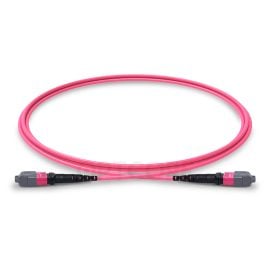
50/125 Multimode OM4 MTP Elite Trunk Cable, 12 Fiber, Female, Type A, LSZH
Price range: US$ 37.00 through US$ 124.00 (Excl. VAT)
What Is an IDF?
Definition and Functions
The intermediate distribution frame is also an important component. Its function is to distribute and manage signals between different areas of the building. Its main function is to distribute signals from the MDF to terminal devices in specific areas, such as computers and printers.
Components
IDF typically consists of the following parts:
- Distribution frame: used to connect and manage backbone cables from MDF and horizontal cables leading to terminal devices.
- Network equipment: such as small switches, routers, etc.
- Jumpers and terminal blocks: used for flexible connection and management of various cable types.
MDF vs IDF: What Are The Differences?
| Differences | MDF | IDF |
| Physical media and cable types | Usually connected to operators or backbone lines using fiber optics | Use fiber optic cables from MDF for uplink and copper cables for downlink to terminals |
| Scope of fault impact | An ordinary management audit requires standard labeling. | Small scope, only affecting the area covered by the faulty IDF. The priority of troubleshooting is relatively high. |
| Redundancy and high availability design | Devices are usually equipped with dual-core switches, dual power supplies, and dual engines. Some even come equipped with dual MDF. | Generally, single device operation can be used, and dual power supplies or stacked switches can be configured in critical areas. |
| Electricity and Environmental Protection | High-power online UPS with long backup time. 7×24-hour constant temperature and humidity. | Low-power UPS with short backup time. No need for constant temperature and humidity. |
| Management and Maintenance | Strict management and auditing, with extremely high standardization of labeling. | The unit price of the equipment is high, the backbone fiber cost is high, and the construction period is long. |
| Cost and equipment investment | The unit price of the equipment is low; the quantity of copper cables is large. The construction period is short. | The unit price of the equipment is low; the quantity of copper cables is large, but the unit price is low. The construction period is short. |
| Network hierarchy correspondence | Core Layer Backbone cabling subsystem | Access Layer Horizontal cabling subsystem |
| Scalability and Port Density | Large quantities of reserved components are required | Plan according to the actual number of users |
| Bandwidth and convergence ratio | An ordinary management audit requires ordinary labeling standards. | The upstream port is generally 1G/10G. A common convergence ratio of 20:1 to 50:1. |
| Backup and Recovery | Automatic back-up and manual full backup. Keep logs for at least 6 months. The recovery time is less than 1 hour. | Only automatic backup or snapshot, mainly for local storage. The logs can be saved for 1-3 months. The recovery time is 2-4 hours. |
The MDF typically includes multiple connection blocks and jumper areas. It may also incorporate intelligent management features to help monitor and manage network connectivity status. The MDF can accommodate most core network devices and is generally suitable for large-scale networks, such as those found in data centers and large enterprises.
In practical use, the layout and design of MDF may vary depending on specific requirements and building structures.
IDF is primarily used for floors or areas within buildings. It can help reduce the wiring length between the MDF and the equipment, thereby minimizing signal attenuation as much as possible. Setting IDF can effectively optimize network layout and improve performance.
Recommended products
-

Dell Force10 GP-10GSFP-1E-1490 Compatible 10G CWDM SFP+ 1490nm 40km Transceiver
US$ 139.00 (Excl. VAT) -
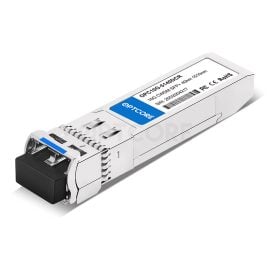
Dell Force10 GP-10GSFP-1E-1510 Compatible 10G CWDM SFP+ 1510nm 40km Transceiver
US$ 139.00 (Excl. VAT) -
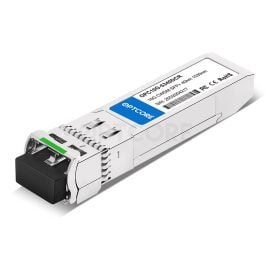
Dell Force10 GP-10GSFP-1E-1530 Compatible 10G CWDM SFP+ 1530nm 40km Transceiver
US$ 139.00 (Excl. VAT) -

Dell Force10 GP-10GSFP-1E-1550 Compatible 10G CWDM SFP+ 1550nm 40km Transceiver
US$ 139.00 (Excl. VAT)
FAQs
Q: What is the longest distance between MDF and IDF?
There is no strict distance for fiber cables. But usually, the fiber from the MDF to the IDF should be less than 300 meters. This makes it easier to use multi-mode fiber.
Q: Why do MDF to IDF almost always use fiber optic cables instead of copper cables?
Fiber cables can go farther, are immune to electrical noise, carry more data, and are smaller. Copper cables cannot go as far and are more susceptible to interference. So, fiber is better for the main network lines.
Q: Does the IDF need a dual uplink to the MDF?
Recommend. If there are critical business areas (such as finance, healthcare, and server areas) under IDF, they must have dual uplinks. Ordinary office areas can have a single uplink, but backup fiber optic cables are required.
Q: How to quickly locate the fault in MDF or IDF?
To locate faults, conduct sequential testing from the user endpoint: first test the gateway, then the MDF core, and finally the external network. If multiple users experience simultaneous disconnections within the same IDF, the upstream fiber or switch in the IDF is likely faulty.
Q: Does the IDF need to switch fiber optic cables to upgrade from a gigabit to a 10G uplink?
Usually no. The existing multi-mode OM3/OM4 optical fibers can support 10 gigabits to 300-550 meters; single-mode is no problem. Upgrading can be achieved by simply replacing the two end optical modules.
Conclusion
MDF vs. IDF is a common question. MDF and IDF fulfill a crucial role in network systems. Their characteristics and functions differ, but together they form a highly connected, easy-to-manage network infrastructure. By selecting and using MDF and IDF appropriately, the network’s performance and management efficiency can be effectively improved.
Read more
- Flat Top vs. Finned Top OSFP: A Costly Mistake You Must Avoid in NVIDIA
- What is an IDF (Intermediate Distribution Frame)? A Beginner’s Guide
- 25GBASE-T vs. 25G SFP28 Fiber: The Truth About 25GbE Copper Networking
