






Blog
What is Virtual LAN (VLAN)? A Complete Guide
Jan
Imagine an office where computers, printers, and servers are all connected to the same switch. Everything sits in one big network, and all devices can see the same traffic. At first, this feels simple and easy to manage. But over time, problems start to show up. This is where VLAN comes in.
Virtual Local Area Network, lets you split one physical network into multiple smaller logical networks. You do not need extra hardware. With a single switch, you can create several isolated networks that behave like independent LANs.
Once you understand this idea, It suddenly feels less like a “number in the config” and more like a very practical tool.
What VLAN brings to your network
With VLAN, you can:
- Separate networks by department or area
- Let different device types share the same switch
- Connect multiple switches in a clean way
- Reduce unwanted access to sensitive systems
- Build safer setups for remote or mixed environments
It makes the network easier to control, even as it grows.
Common VLAN types you will see
Many people first see it as just a number in settings. But in real networks, VLAN traffic must travel through ports, cables, fiber, and optical modules. So it helps to understand how it actually work.
- Port-based: This is the simplest one. For example, ports 1 to 4 are set to VLAN 10. Any device plugged into those ports belongs to VLAN 10. No extra setup on the device side.
- Tagged VLAN (Trunk): This is very common in real networks. Traffic carries a small VLAN tag. Different VLANs share the same link. They often go through the same SFP module and the same fiber cable to another switch.
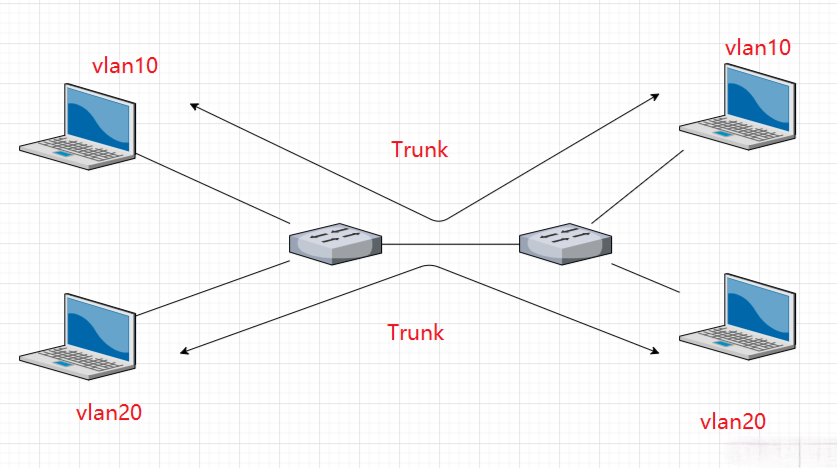
Figure 1: Trunk VLAN Diagram
- Protocol-based: This type groups traffic by network protocol. Today, it is rarely used.
- MAC-based: This method assigns them by device MAC address. It is more dynamic and used in special cases.
VLAN and Optical Modules: How They Work Together
VLAN is a logical concept, but it always relies on physical links to move data. When traffic travels between switches over fiber, optical modules such as SFP or SFP+ transceiver usually carry trunk traffic. That means multiple VLANs share the same fiber link and the same module at the same time.
Its rules decide which traffic stays separate and which can travel together. Optical modules convert electrical signals into optical signals and send them through fiber to the next switch or server.
You can think of it this way: VLAN decides how data is grouped, while optical modules decide whether that grouped data can move smoothly across the network.
That is why module compatibility and link stability matter so much in VLAN-based networks. Even with clean planning, the network depends on reliable optical transmission underneath. Our products have been tested widely and work well with different devices. Each module comes with a detailed compatibility list.
Recommended products
-

Generic SFP-10G-SR Compatible 10GBASE-SR SFP+ 850nm 300m Transceiver
US$ 7.80 (Excl. VAT) -

Generic SFP-1G-T Compatible 1000BASE-T SFP RJ45 Copper 100m Transceiver
US$ 11.90 (Excl. VAT) -

Generic SFP-1G-SX Compatible 1000BASE-SX SFP 850nm 550m Transceiver
US$ 5.00 (Excl. VAT) -
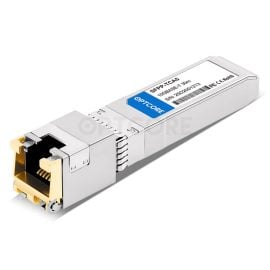
Generic SFP-10G-T Compatible 10GBASE-T SFP+ RJ45 Copper 30m Transceiver
US$ 29.90 (Excl. VAT)
How to start configuring a VLAN
For a basic setup, it’s actually pretty straightforward. Here’s how you can get started:
- Pick a VLAN ID between 1 and 4094—just choose a number that makes sense for your network. Don’t overthink it; it’s just a label.
- Assign an IP range—this is where the devices in this group will live. Keep it separate from other VLANs so things don’t get messy.
- Set your switch ports as access or trunk—access ports for single VLAN devices, trunk ports if the link carries multiple VLANs.
If you are new, simulation tools are a good start.
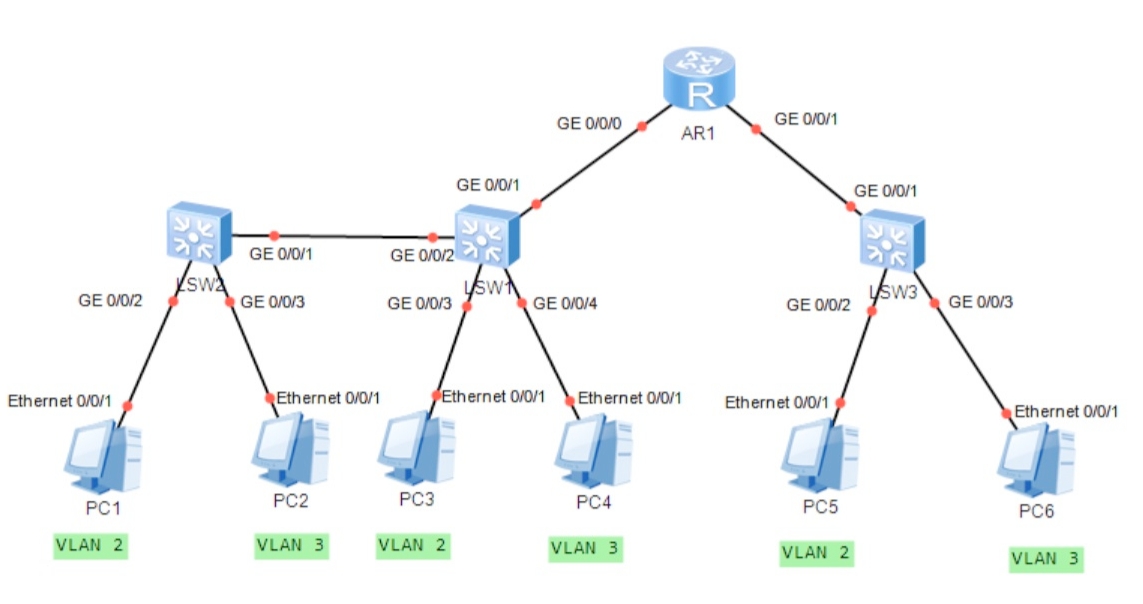
Figure 2: Network Topology Diagram
Conclusion
With proper planning, networks become easier to manage, more secure, and far more scalable. VLAN does not exist on its own. It relies on switch ports, physical links, and stable transmission media to work properly. As networks grow and switches connect over fiber, optical modules become the key carriers.
Reference:
- https://www.extnoc.com/learn/networking/what-is-virtual-lan/
