






Blog, Optical Networking
How to Protect Fiber Optic Cables – A Beginner’s Guide

Feb
Fiber optic cables are widely used in modern optical networks, and knowing how to protect fiber optic cables is a basic but often overlooked part of daily operation. They connect optical modules between switches and servers, appear in AOC cables, link racks inside data centers, and are also used to connect different buildings. From a physical point of view, fiber cables come in many forms. There are common indoor patch cords and pigtails, and there are also outdoor fiber cables that may be laid underground or installed between buildings.
Compared with copper cables, fiber is much more sensitive to bending and contamination. Small mistakes during daily use may not cause immediate failure, but they often lead to hidden problems later. This article focuses on the use of fiber in everyday network environments. It mostly covers how to protect indoor fiber cables and patch cords, and also offers a quick look at outdoor fiber protection, so beginners can get into good habits for everyday use and maintenance.
Why Fiber Protection Matters
How fiber transmits signals
Inside a fiber optic cable, there is a very thin glass core. Light signals travel through this core by continuous reflection.
This structure allows fiber to support high-speed and long-distance transmission. At the same time, it also means that fiber does not tolerate physical stress very well. Therefore, learning to protect fiber optic cables becomes important.
Common misuse in daily work
In real-world network environments, most fiber damage is caused not by equipment failure but by human operation. Many small and careless actions can slowly damage fiber patch cords without being noticed.
- Over-pulling and over-bending: Every fiber cable has a minimum bend radius. When fiber is forced around sharp cabinet edges, squeezed into narrow spaces, or tightly bent behind panels, internal damage can easily occur.
- Leaving dust caps off: Fiber patch cords are shipped with dust caps for a reason. When the end face is exposed, dust from the air, desk, or cabinet can quickly attach to it and affect signal quality.
- Touching the fiber end face by hand: Fingerprints contain oil and dirt that are difficult to remove and directly affect optical performance.
Ways to Protect Fiber in Daily Use
After understanding the common problems above, the next step is to learn how to avoid them in real-world work. Fiber protection does not rely on complex tools, but on correct habits.
Below are several practical methods for daily installation, maintenance, and troubleshooting.
#1: Keeping the fiber end face clean
Cleanliness of the fiber end face is one of the most important factors affecting link quality. Dust caps should always be used before and after every connection. Although simple, they are very effective in preventing contamination.
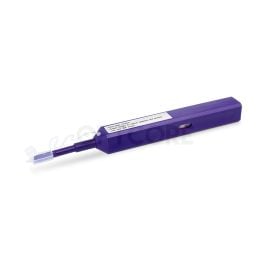
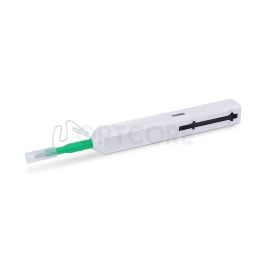
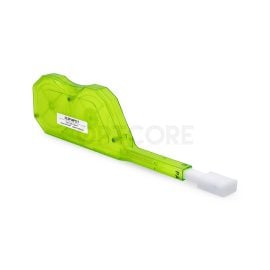
If the end face is already dirty, a fiber optic cleaning tool is recommended. This is a safe and reliable way to clean fiber connectors. Different ports require different types of cleaning pens.
Recommended products
-
FOC-125 One-Click Fiber Optic Cleaner Pen for 1.25mm LC/MU Connectors (800 cleans)
Original price was: US$ 14.00.US$ 9.90Current price is: US$ 9.90. (Excl. VAT) -
One-Click Fiber Optic Cleaner Pen for 2.5mm SC/FC/ST Connectors (800 cleans)
Original price was: US$ 14.00.US$ 9.90Current price is: US$ 9.90. (Excl. VAT) -
One-Click Fiber Optic Cleaner Pen for MPO/MTP Connectors (600 cleans)
Original price was: US$ 35.00.US$ 26.00Current price is: US$ 26.00. (Excl. VAT) -

FOC-KCC-550 Fiber Optic Cleaning Cassette for LC/SC/FC/ST/MU/D4/DIN MTP/MPO Connectors
US$ 16.00 (Excl. VAT)
We have also recorded a short video showing the correct way to use a cleaning pen. For beginners, following a standard process can greatly reduce the risk of improper cleaning.
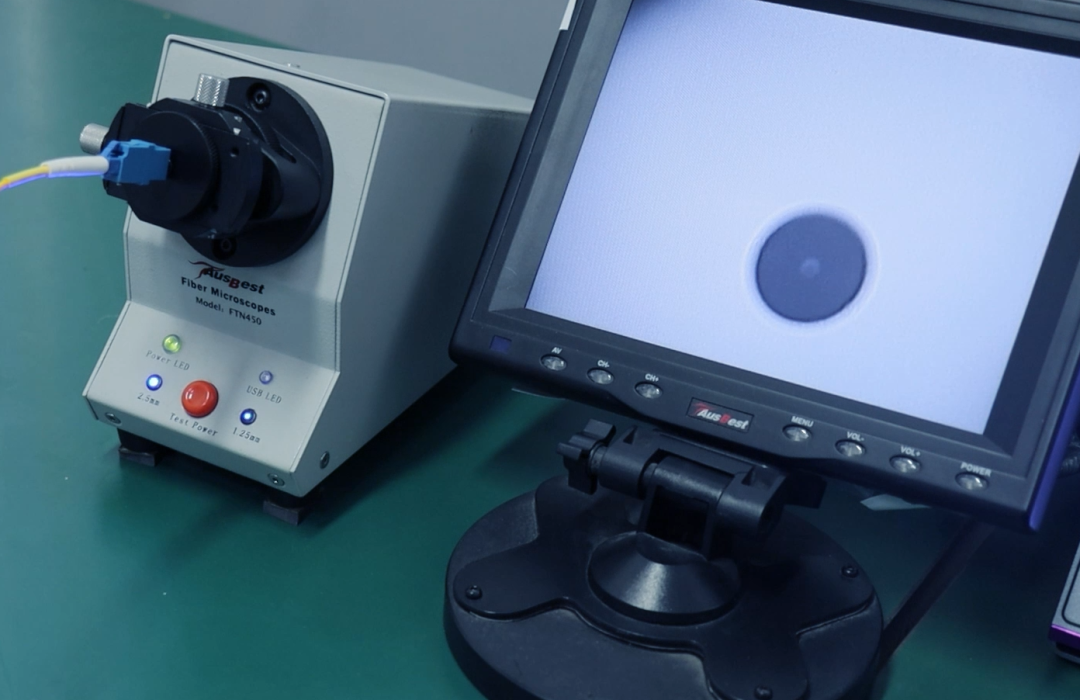
When conditions allow, an inspection scope can be used to check the connector end face before and after cleaning, helping confirm whether contamination still exists.
Proper routing and fixing inside cabinets
Besides cleanliness, cable routing plays an important role in fiber protection. During rack wiring, the fiber bend radius should always be respected. Fiber should follow smooth curves and should never be forced into sharp turns.
Cable managers, guide rings, or soft ties can be used to fix fiber cables in place. When securing fibers, leave a little slack so they aren’t always under tension. This makes future maintenance or reconnections much easier.
A quick note on outdoor fibers
This guide mostly talks about protecting fiber optic cables indoors, but sometimes outdoor fiber optic cables need attention, too. Compared with indoor patch cords, outdoor fiber optic cables face more direct physical risks. These include being crushed, pulled, exposed to water, or damaged by rodents.
In such cases, outdoor-rated fiber cables with protective structures are usually required. During installation, proper routing and fixing are equally important to reduce external stress on the cable.
Although the usage environment is different, the basic idea of protection remains the same: reduce physical force and environmental impact on the fiber itself.
- Crushing/stepping: Keep cables off walkways or use trays so they don’t get squished.
- Water/moisture: Use waterproof cables and seal connectors to block rain or dampness.
- Rodents/environment: Pick armored fiber for areas where animals or rough conditions could damage it.
Summary
Protecting fiber optic cables should become a daily habit in network maintenance. Knowing how to protect fiber optic cables is important, instead of only thinking about it after a problem appears. Whether it’s indoor patch cords or fiber links between floors, paying attention to bending, tension, and the connector end face can significantly reduce the chance of unstable links. In a fiber-optic system, fiber is the foundation of all high-speed transmission, and how well you protect fiber optic cables often determines whether the entire network is truly reliable.
Read More
- Cat6 vs Fiber, What is the Difference and How to Choose?
- What is Breakout Cable? Everything You Need to Know
- Slim vs Regular Ethernet Cable: How to Choose?
