


 Optical Transceiver
 DAC/AOC Cable
 Fiber Cabling
 Networking
Blog, Network Cabling
Fast Ethernet vs. Gigabit Ethernet vs. 10 Gigabit Ethernet: What is the difference?
May
When building wired networks of any size, you will always encounter these three Ethernet rate standards: Fast Ethernet, Gigabit Ethernet, and 10 Gigabit Ethernet. They determine the upper limit of data transmission over cables, directly affecting file transfer speed, the smoothness of video conferencing, and even the overall operational efficiency of the data center. In fact, they are not simply differences in speed numbers but involve comprehensive considerations of cable specifications, transmission distance, cost, and application scenarios. This article provides a clear breakdown of each standard, compares key differences, and offers practical purchasing recommendations.
Table of contents
What is Fast Ethernet?
Fast Ethernet refers to the Ethernet standard with a transmission rate of 100 Mbps, officially known as IEEE 802.3u. Before its emergence, traditional Ethernet could only run at up to 10 Mbps, so 100 Mbps was already a leap forward and considered “fast” at the time. Even today, this speed is still sufficient to support a high-definition video stream or regular web browsing, but it may feel inadequate when multiple devices are simultaneously performing heavy-load tasks.
From a medium perspective, the most common implementation method is 100BASE-TX, which uses two pairs of Category 5 unshielded twisted pair (UTP) cables (Cat5) with a maximum transmission distance of 100 meters and a familiar RJ45 interface. Fast Ethernet supports both full-duplex and half-duplex modes, with full-duplex allowing simultaneous transmission in both directions. The actual throughput can reach 200 Mbps (100 Mbps for both transmission and reception). In fiber optics, there is also the 100BASE-FX standard, which uses multimode fiber and can reach distances of up to 2 kilometers, making it suitable for park-level connections.
To this day, Fast Ethernet ports remain widely used on some IP cameras, industrial sensors, older printers, and entry-level embedded devices. Although Gigabit Ethernet has long been mainstream, Fast Ethernet still has its value in scenarios where bandwidth requirements are low, and cost is extremely sensitive.
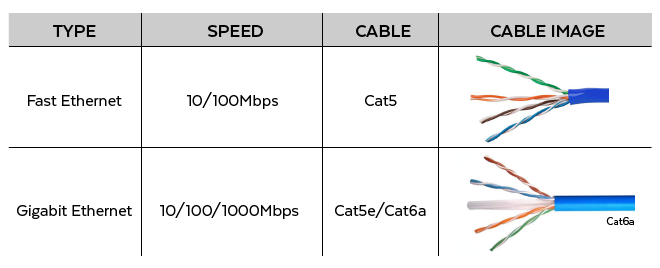
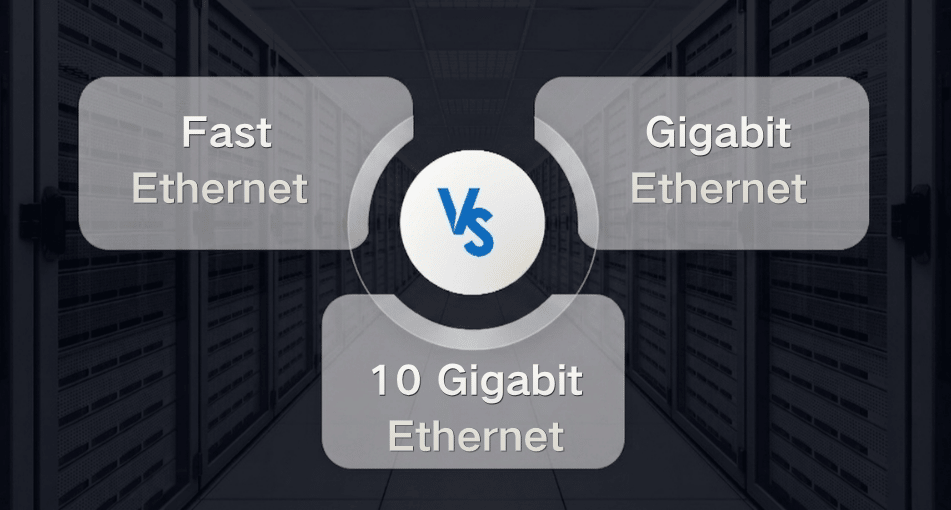
Figure 1: Fast Ethernet vs. Gigabit Ethernet vs. 10 Gigabit Ethernet (source from Google)
What is Gigabit Ethernet?
Gigabit Ethernet increases the speed to 1000 Mbps (1 Gbps), which is ten times faster than Fast Ethernet. Its key technical standards include IEEE 802.3ab (defining 1000BASE-T for gigabit over twisted-pair cables) and IEEE 802.3z (defining 1000BASE-SX and 1000BASE-LX for fiber-optic links). 1000BASE-T requires four pairs of cores for simultaneous transmission, so the cable quality requirements are higher than those for Fast Ethernet. The minimum recommended cable is Cat5e, while Cat6 offers better margins and anti-interference performance. The transmission distance is kept at 100 meters, fully compatible with existing RJ45 infrastructure, a key factor in the rapid popularization of Gigabit Ethernet.
The popularization of gigabit connectivity on the desktop has already brought about a qualitative leap in file copying, high-definition video conferencing, and LAN gaming. A typical gigabit connection can easily achieve a file transfer speed of around 110 MB/s, which is more than enough to handle the workload of the vast majority of small and medium-sized enterprises. In fiber optics, 1000BASE-SX is usually used with multimode fiber over distances of 220 to 550 meters; 1000BASE-LX uses single-mode fiber and can be easily extended up to 20 kilometers. This means that Gigabit Ethernet can serve as both the backbone of copper desktops and the backbone connection between buildings through fiber optics.
What is 10 Gigabit Ethernet?
10 Gigabit Ethernet instantly increases the single-link speed to 10,000 Mbps (10 Gbps), which is ten times faster than Gigabit Ethernet. It debuted around 2002 with the IEEE 802.3ae standard, initially supporting only fiber-optic connections, and later gradually added support for copper cabling. The most profound impact on communication accessories is the IEEE 802.3an, also known as 10GBASE-T, released in 2006. It enables 10 Gigabit Ethernet over twisted-pair cables, but the conditions are very strict: to run up to 100 meters, Cat6a or Cat7 cables must be used. If ordinary Category 6 unshielded cables are used, they can generally only transmit reliably over 30 to 55 meters and are susceptible to significant electromagnetic interference from the surrounding environment.
In the field of fiber optics, the 10 Gigabit Ethernet solution is extremely rich: 10GBASE-SR can reach 300 to 400 meters over multimode fiber (OM3/OM4), 10GBASE-LR can reach 10 kilometers over single-mode fiber, and 10GBASE-ER can reach 40 kilometers. In addition, direct copper cables (DAC) and SFP+ active optical cables are commonly used in data centers for short-distance, high-density connections within cabinets or between adjacent cabinets.
Fast Ethernet vs. Gigabit Ethernet vs. 10 Gigabit Ethernet: What is the difference?
| comparison items | Fast Ethernet | Gigabit Ethernet | 10-Gigabit Ethernet |
| transmission rate | 100 Mbps | 1 Gbps | 10 Gbps |
| Actual file transfer speed | About 12 MB/s | About 110 MB/s | About 1 GB/s or more |
| Main copper cable standards | 100BASE-TX | 1000BASE-T | 10GBASE-T |
| Maximum distance of copper cable | 100m | 100m | 100m (Cat6a and so on) |
| Typical fiber optic standards | 100BASE-FX (multi-mode 2 km) | 1000BASE-SX (multi-mode 550 m) and 1000BASE-LX (single-mode 10 km) | 10GBASE-SR (multi-mode 400 m) and 10GBASE-LR (single-mode 10 km) |
| Common fiber optic interfaces | SC/ST, SFP | SFP | SFP+ |
| Delay | High | Low | Extremely low, supporting high-performance protocols such as RoCE |
| Power consumption and heat dissipation | Extremely low | Low | High |
| Cost | Extremely low | The highest cost-effectiveness. | High |
| Backward compatibility | Compatible with 10M | Compatible with 10M/100M | Compatible with 10M/100M/1000M |
On the surface, it appears to be a doubling of rates, but upon closer inspection, these three standards exhibit systematic differences in physical-layer requirements, application positioning, and ecosystems.
Speed and throughput
Fast Ethernet is 100 Mbps, Gigabit Ethernet is 1 Gbps, and 10 Gbps. The actual file transfer speeds are roughly 12 MB/s, 110 MB/s, and over 1 GB/s, respectively. This means copying a 20 GB high-definition movie takes about half an hour over Fast Ethernet, about 3 minutes over Gigabit Ethernet, and less than 20 seconds over 10 Gb Ethernet. Standards: Fast Ethernet works with Cat5 cabling; Gigabit Ethernet requires Cat5e; and 10GBASE-T copper cables rely on Cat6a or higher-grade cabling.
Even if a link can be established, using the wrong cable will sharply increase the error and dropout rates. In fiber-optic networking, Fast Ethernet and Gigabit Ethernet use traditional SFP interfaces and corresponding fiber jumpers, while Gigabit Ethernet generally uses SFP+ interfaces and OM3/OM4 multimode or single-mode fibers.
Completely determined by the cable grade within a range of 100 meters. Fast Ethernet and Gigabit Ethernet can easily reach 100 meters over conventional cabling. If you want 100 meters of 10G copper cable, it must be Cat6a or above. Ordinary Cat6 can only be considered a short-distance, low-speed substitute. Among fiber-optic options, the long-distance advantage of 10G is clear. Even 40 kilometers, easily achieving aggregation of campus or metropolitan area networks, which is beyond the reach of the previous two generations of technology.
Delay and efficiency
The higher the speed standard, the lower the frame-forwarding delay and the higher the data transmission efficiency. The large frame delay in the era of Fast Ethernet is no longer tolerated in modern real-time applications, while 10 Gigabit Ethernet can support the demanding RoCE (RDMA over Converged Ethernet) and storage protocols in data centers, significantly reducing CPU load.
Power consumption and heat dissipation
Fast Ethernet switches and network cards generate almost no sensible heat. The gigabit device has a slight temperature rise. However, 10 Gigabit Ethernet, especially early 10GBASE-T switch ports, can consume several watts per port and generate significant heat, necessitating adequate ventilation and a robust heat-dissipation design. This is crucial for the energy planning of network cabinets.
Cost
From an accessories perspective, the prices of fast Ethernet network cards, switches, jumpers, and crystal heads have hit rock bottom. Gigabit is the current productivity benchmark, with the highest cost-effectiveness, and the prices of the supporting Category 5 and Category 6 jumpers are affordable. 10G switches, network cards, and SFP+ optical modules are still significantly higher than gigabit products, and the cost of laying and terminating Cat6a network cables is also higher. However, in recent years, 10G devices have gradually penetrated small and medium-sized enterprises, driven by significant price decreases.
Backward compatibility
All three have good compatibility designs. The vast majority of gigabit and 10-gigabit copper cable ports support automatic negotiation, which can be limited to 100 Mbps or 1 Gbps for interoperability with older devices. However, if an old Cat5 cable is connected to a 10GBASE-T switch port, the negotiated speed may only reach gigabit or even fast Ethernet, and 10G cannot be enabled.
How to choose each
Choosing the appropriate Ethernet speed involves balancing current business needs, future expansion plans, and budget. The following are specific suggestions based on the scenario:
For daily use in the home and a small office, consider Gigabit Ethernet. Browsing web pages, streaming media, video calls, and even home NAS backups can be handled easily with gigabit capacity. The overall cost of routers, switches, and Category 5e or Category 6 jumpers is very low, and there is almost no need to hesitate. Unless your broadband access exceeds 1 Gbps and you need high-speed NAS on your internal network, there is no need to blindly upgrade to 10G. When purchasing cables, we recommend using high-quality Cat6 jumpers directly. Their structure is more resistant to crosstalk and leaves room for future small-scale upgrades.
Small- and medium-sized enterprise office network: with gigabit-to-desktop as the core, uplink or server access can consider 10G. A typical floor switch-to-desktop connection uses gigabit, and when the number of devices is not large, gigabit is sufficient to connect to the core switch. When there are multiple servers, virtualization hosts, or high-frequency database access, it is recommended to use 10G fiber optic or DAC cables between core switches and between cores and server clusters to eliminate bottlenecks.
We recommend, from an accessories perspective, using Cat6 or Cat6a Ethernet cables and standard RJ45 gigabit switches for the desktop end. The server area uses switches with SFP+ uplink ports, equipped with OM3 multimode fiber jumpers and 10GBASE-SR optical modules, which are highly cost-effective for distances up to 300 meters.
Large enterprises, data centers, and professional audio and video production: Choose 10 Gigabit Ethernet without hesitation, and even prepare 25G or 40G for the future. When the business involves real-time 4K/8K video editing and collaboration, large-scale virtual machine migration, artificial intelligence training data loading, or high-frequency financial transactions, 10 Gigabit networks are the baseline. A copper 10GBASE-T cable is suitable for server connections across racks and distances of less than 100 meters.
Cat6a shielded cables can help ensure reliability. It is recommended to use SFP+ direct-copper or high-speed DAC cables between servers and switches inside the cabinet, as they are lower-cost, lower-latency, and more power-efficient. If the transmission distance exceeds 100 meters, single-mode fiber and 10GBASE-LR optical modules must be used to ensure both distance and stability.
For old devices or extremely low-cost IoT networks, consider Fast Ethernet. For sensors, environmental monitoring, traditional serial servers, or low-resolution IP cameras that only require occasional transmission of small amounts of data, 100 Mbps is still available. If there are already a large number of Class 5 cables that cannot be replaced, a Fast Ethernet switch can be used to provide access to specific areas and then gradually transition. However, in general, unless there are hard limitations on interfaces and devices, we advise customers not to deploy new pure Fast Ethernet switches and to choose Gigabit products directly, because the price difference between Gigabit and Fast Ethernet devices is extremely small, but the experience is vastly different.
Key points for selecting cables and accessories: Regardless of the speed chosen, cable quality is the cornerstone of performance. Fast Ethernet can use Cat5, but currently only Cat5e and above products are available for procurement, so it is usually Cat5e. Gigabit copper cables must be Cat5e or higher, and Cat6 should be prioritized for long-distance and interference-prone environments. Ten-gigabit copper cables must use only Cat6a or Cat7 jumpers, and attention must be paid to the consistency of the crystal heads, distribution frames, and modules.
Any Cat5e or Cat6 component along the entire link will reduce speed. In terms of fiber optic accessories, multimode fiber is mostly used for short distances of gigabit and ten gigabit, and attention should be paid to laser-optimized fibers such as OM3 and OM4; single-mode fiber is suitable for long distances of up to 10 gigabit, and the optical module must be matched with the fiber type, and the end face must be kept clean.
Recommended products
-

50/125 Multimode OM3 MTP Elite Trunk Cable, 12 Fiber, Female, Type B, LSZH
Price range: US$ 32.00 through US$ 116.00 (Excl. VAT) -
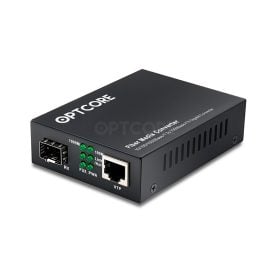
10/100/1000Base-T RJ45 to 1000Base-FX SFP Gigabit Fiber Media Converter
Original price was: US$ 13.00.US$ 11.00Current price is: US$ 11.00. (Excl. VAT) -

1G/2.5G/5G/10GBASE-T RJ45 Copper Ethernet to 10G SFP+ Fiber Media Converter
Price range: US$ 89.00 through US$ 208.00 (Excl. VAT) -
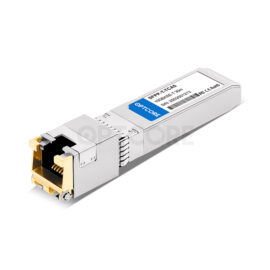
Generic SFP-10G-T Compatible 10GBASE-T SFP+ RJ45 Copper 30m Transceiver
US$ 29.90 (Excl. VAT)
Conclusion
Fast Ethernet is the hero of the past, Gigabit Ethernet is the solid foundation of the present, and 10 Gigabit Ethernet is the main driver of future data-intensive applications. Fast Ethernet vs. Gigabit Ethernet vs. 10 Gigabit Ethernet: The differences among the three have long extended beyond simple speed values and are deeply embedded in the very blood of cable materials, link design, energy management, and even network architecture. As members of the communication accessories industry, we are well aware that proper Ethernet cable specifications and a suitable optical module can help avoid high costs associated with disconnections, speed reductions, and troubleshooting during long-term operation.
Read more
- What is Multi-Gig Ethernet? A Beginner’s Guide
- Best 2.5G Ethernet Switch Guide: Unlock The Multi-Gig Connectivity
- Understanding Terabit Ethernet: 100G, 200G, 400G, and 800G
