


 Optical Transceiver
 DAC/AOC Cable
 Fiber Cabling
 Networking
Blog, Optical Networking, Optical Transceiver
400G SR4 vs DR4 vs FR4 vs LR4: What Are the Differences and How to Choose?
Apr
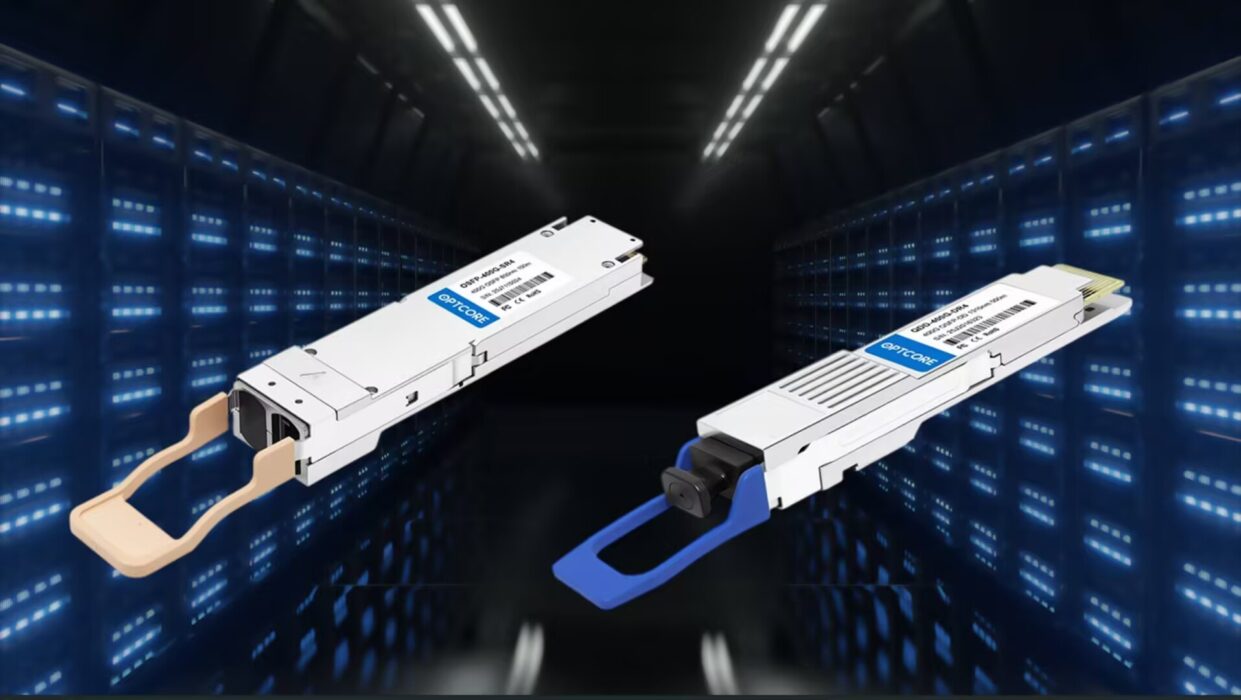
For many engineers encountering 400G optical modules for the first time and planning to deploy them, they will face choices and confusion, such as 400G SR4 vs DR4 vs FR4 vs LR4. This actually requires a decision based on the fiber you use, the application scenario you need, and the cost. For those who may not yet understand these standards, this can lead to confusion when making a choice. In this article, we will introduce these standards in detail. After a more detailed understanding and comparison, you will definitely be able to make a suitable choice.
Table of contents
Quick Overview and Comparison
- 400G: A single link can provide a transmission rate of 400 Gbps, based on PAM4 modulation, which uses four signal levels to achieve high-speed transmission within a limited bandwidth and deliver higher data throughput in the same space.
- SR4: Suitable for short distances within 100m, uses multimode fiber and parallel transmission. Mostly used for internal connections in data centers, with the lowest cost but higher fiber usage.
- DR4: Suitable for medium-short distances within 500m, uses single-mode fiber transmission. SR4 vs DR4, DR4 it is designed for data center interconnection, balancing cost and performance.
- FR4: Suitable for medium distances within 2km, uses CWDM technology. It also uses single-mode fiber, suitable for campus and building interconnection. Compared with DR4, it has a higher cost but saves fiber.
- LR4: Designed for long distances up to 10km, uses LWDM technology, and can achieve inter-campus or long-distance connections.
For those with clear requirements who want to make a quick choice, refer to the table below. If you want more detailed information on how these differences are formed, we will introduce them in the following sections.
| Type | Transmission Distance | Fiber Type | Interface | Technology | Cost | Typical Use | Key Feature |
|---|---|---|---|---|---|---|---|
| SR4 | ≤100m | MMF | MPO | Parallel Optics | Low | Intra-data center | Lowest cost, high fiber usage |
| DR4 | ≤500m | SMF | MPO | Parallel Optics | Medium | Data center interconnect | Balanced performance and cost |
| FR4 | ≤2km | SMF | LC | CWDM | Medium-High | Campus / building links | Reduced fiber usage |
| LR4 | ≤10km | SMF | LC | LWDM | High | Long-distance links | Campus/building links |
What are 400G SR4 vs DR4 vs FR4 vs LR4
400G SR4
400G SR4 is based on Parallel Optics and increases bandwidth through spatial multiplexing. It uses multiple independent optical channels to transmit data simultaneously. On the electrical side, the 400G signal is split into 8 independent signals, each driving a VCSEL to convert the electrical signal into an optical signal. These optical signals are transmitted through multimode fiber, in which each fiber carries a single data channel, and channels do not interfere with one another.
The key characteristic of this method is that the system structure is simple and does not require complex optical processing, but it also brings a problem. SR4 vs DR4, Multimode fiber has modal dispersion during transmission, and the resulting pulse broadening limits the transmission distance. This is why SR4 usually only works within 100m.
400G DR4
As DR4 also adopts a parallel optics architecture, its core optimization lies in introducing single-mode fiber, reducing the number of channels. Also, it improves single-channel capability to optimize the overall transmission distance.
SR4 vs DR4, In DR4, the 400G signal is only split into four channels, and each signal drives a DFB or EML laser independently to generate a stable single-mode signal. Because single-mode fiber only allows a single propagation mode, it solves the modal dispersion problem and enables longer transmission distances. DR4 is still essentially spatial multiplexing, but by increasing the single-channel rate, it reduces the number of fibers and makes good use of the physical characteristics of single-mode fiber. However, since it is still a multi-fiber parallel (MPO) interface, DR4 still has limitations in cabling and transmission.
400G FR4
Compared with SR4 vs DR4, FR4 introduces CWDM (Coarse Wavelength Division Multiplexing) technology, which means transmitting multiple signals over the same fiber. The 400G electrical signal is also split into four signals, but the difference is that in FR4, each signal drives a laser operating at a different central wavelength (such as 1271nm, 1291nm, 1311nm, 1331nm). These four optical signals with different wavelengths enter an optical multiplexer (MUX). It combines different wavelengths of light into a single fiber for transmission. Then, at the receiving end, a demultiplexer (DEMUX) separates the signals by wavelength and sends them to the corresponding photodetectors.
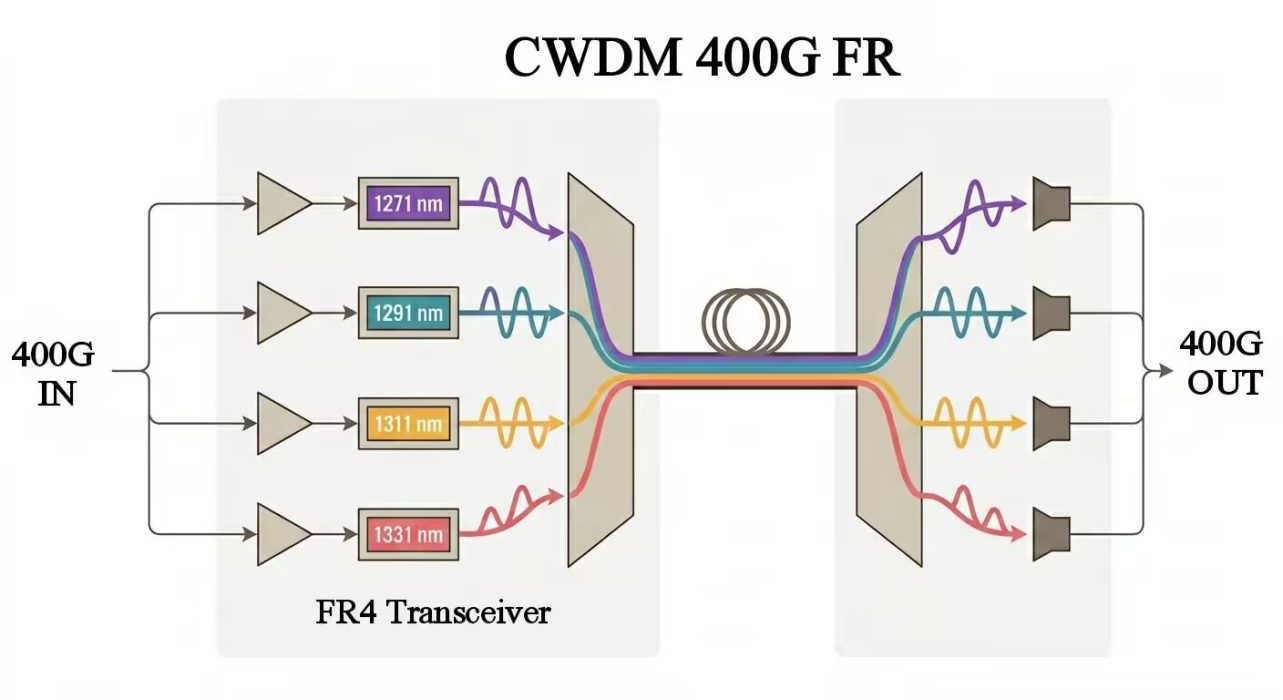
Because the wavelength spacing is relatively large, FR4 is less sensitive to temperature drift, which greatly improves system stability over a certain distance. In addition, like DR4, FR4 uses single-mode fiber, reducing loss and dispersion. The trade-off is that more complex components bring higher manufacturing costs.
-
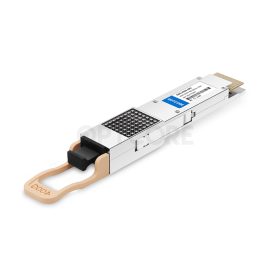
Generic Compatible 400G DR4 QSFP-DD 1310nm 500m MTP/MPO-12 Transceiver
US$ 429.00 (Excl. VAT) -
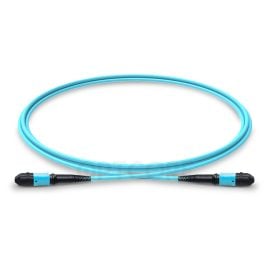
Multimode OM3 MPO to MPO Trunk Cable, 12 Fiber, Female, Type A, LSZH
Price range: US$ 19.00 through US$ 173.00 (Excl. VAT) -
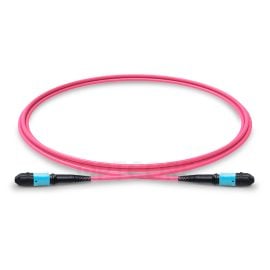
50/125 Multimode OM4 MPO Fiber Trunk Cable, 12 Fiber, Female, Type A, LSZH
Price range: US$ 21.10 through US$ 283.50 (Excl. VAT) -
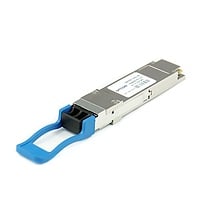
Generic Compatible 400G FR4 QSFP-DD 1310nm 2km LC Transceiver
US$ 459.00 (Excl. VAT)

400G LR4
Also, based on wavelength-division multiplexing, LR4 is designed for a higher link budget and more precise wavelength control, and adopts LWDM (LAN-WDM) technology or even narrower-spacing schemes, making the wavelength spacing much smaller than in CWDM. This allows the system to accommodate more signals within the same spectral range. At the same time, this change increases the requirements for lasers, requiring higher wavelength stability and more precise filtering components. Therefore, LR4 achieves a longer transmission distance. It can be understood as, based on FR4 wavelength-division multiplexing, using more precise wavelength control and higher-performance components in exchange for a longer transmission distance.
Choosing the Right Cables
Different 400G modules require different cables. If you have already determined which module you use, you still need to match it with the corresponding patch cable. LikeSR4 vs DR4, differences in port design and application scenarios result in different cable usage. In this section, we provide a convenient solution for you.
- 400G SR4 → MPO multimode patch cable (OM3/OM4)
- 400G DR4 → MPO single-mode patch cable (OS2)
- 400G FR4 → LC duplex single-mode fiber (OS2)
- 400G LR4 → LC duplex single-mode fiber (OS2)
-
50/125 Multimode OM4 MPO Fiber Trunk Cable, 12 Fiber, Female, Type A, LSZH
Price range: US$ 21.10 through US$ 283.50 (Excl. VAT) -
Multimode OM3 MPO to MPO Trunk Cable, 12 Fiber, Female, Type A, LSZH
Price range: US$ 19.00 through US$ 173.00 (Excl. VAT) -
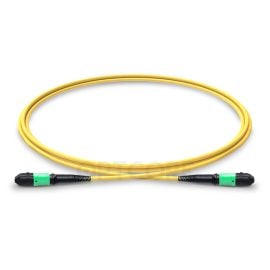
Single Mode OS2 MPO to MPO Trunk Cable, 12 Fiber, Female, Type B, LSZH
Price range: US$ 22.00 through US$ 104.00 (Excl. VAT) -
LC-LC 9/125 OS2 Singlemode LSZH Duplex Fiber Patch Cable
Price range: US$ 2.40 through US$ 27.50 (Excl. VAT)

Suitable Solution for Your Case
If you are upgrading within a data center, such as connections between switches and servers, or within the same rack or adjacent racks, SR4 is the most direct and convenient choice. In such scenarios, there is no need to increase cost to choose long-reach modules, and SR4 is already sufficient. When prioritizing cost and deployment simplicity, SR4 meets the requirement of achieving high bandwidth at low cost.
For data center internal architecture construction and expansion (such as Leaf-Spine), the situation is different. It requires stable connections between different racks and areas, so SR4 vs DR4, DR4 is more suitable. It is designed for data centers and achieves a balance between distance stability and cost, which makes DR4 gradually become a mainstream solution.
If your scenario involves interconnection within the same building, such as across server rooms or floors, FR4 is required. In longer distance environments, choosing other modules to reduce cost may increase cabling complexity and make maintenance more difficult. FR4 can significantly reduce fiber usage and is a cost-effective choice for medium-distance transmission.
For long-distance deployment, such as inter-building connections, LR4 is the most suitable. When transmission stability and distance must be considered, cost is no longer the primary limitation, and LR4 can match the requirement well.
FAQ
Can I use LR4 inside a data center?
Yes, but LR4 is mainly suited to long-distance scenarios, and using it in a data center will increase costs. In comparison, SR4 uses multimode fiber and a simpler structure, which reduces both device cost and deployment cost.
Conclusion
The choice of 400G SR4 vs DR4 vs FR4 vs LR4 is crucial for your network construction. Understanding their basic principles and making comparisons is very helpful for future network construction, server upgrades, and updates. Ensure that you build the most optimal network within a limited budget.
Read more
- MPO-8, MPO-12, or MPO-24? Choosing the Right Backbone for Your 400G Infrastructure
- Understanding Terabit Ethernet: 100G, 200G, 400G, and 800G
- What Is DSFP? A Complete Guide
