


 Optical Transceiver
 DAC/AOC Cable
 Fiber Cabling
 Networking
Blog, Networking Device
Best 2.5G Ethernet Switch Guide: Unlock The Multi-Gig Connectivity
May
Gigabit broadband is becoming increasingly popular, and Wi Fi 7 routers have also entered millions of households. However, when you eagerly buy back the latest NAS and plug in a motherboard with a 2.5G network port, you find that the internal network transmission speed is still hovering around gigabit – this may mean that the “hub” in your network – the switch – has become the biggest bottleneck.
2.5G Ethernet switches are designed specifically for this scenario. It can open the door to multi-gigabit connections for you while keeping costs under control. Whether you are a player seeking the ultimate gaming experience, a designer handling large files daily, or a home user looking to lay a solid foundation for future network upgrades, a suitable 2.5G switch is one of the highest-return-on-investment network upgrade options.
Table of contents
Why 2.5G?
Today, traditional gigabit networks are facing unprecedented pressure. Taking an ordinary information classroom as an example: the podium computer office and 35 student computers each require 30M bandwidth, and two monitoring videos each require 20M bandwidth; the total demand exceeds a gigabit. In a home environment, multiple people simultaneously watching 4K videos, playing online games, transferring NAS files, and engaging in other activities also make gigabit networks stretched thin. At the same time, the uplink speed of Wi-Fi 6 APs has exceeded 2.5GE, and Wi-Fi 7 has achieved an impressive 10GE.
Why not upgrade to 10G in one go? The answer is simple: the cost is too high. Gigabit Ethernet switches are expensive, and the Cat 5e Ethernet cables commonly used in current gigabit networks need to be replaced with Cat 6 cables starting from the 5GE port. The cost and trouble of replacing the entire line are daunting. Moreover, many enterprise networks still have numerous legacy 10M terminal devices that are often incompatible with 10G switches.
In the context of the current trend of “gigabit insufficient and gigabit too expensive”, 2.5G Ethernet, compliant with the IEEE 802.3bz standard, has emerged as the best compromise for the transition from gigabit to gigabit. One of the most exciting features of 2.5G switches is their perfect compatibility with existing cabling. The 2.5GE port is compatible with Category 5e GE port cable, allowing the use of existing lines without rewiring. It not only adapts to the existing gigabit network but also allows users to transition bandwidth without incurring extra fees. This means that the existing Cat 5e/Cat 6 network cables in your home or office can continue to be used without any additional wiring costs, truly achieving the goal of “upgrading without changing cables, and terminals without modification”.
Key Factors for Choosing a 2.5G Switch
1. Port configuration and compatibility
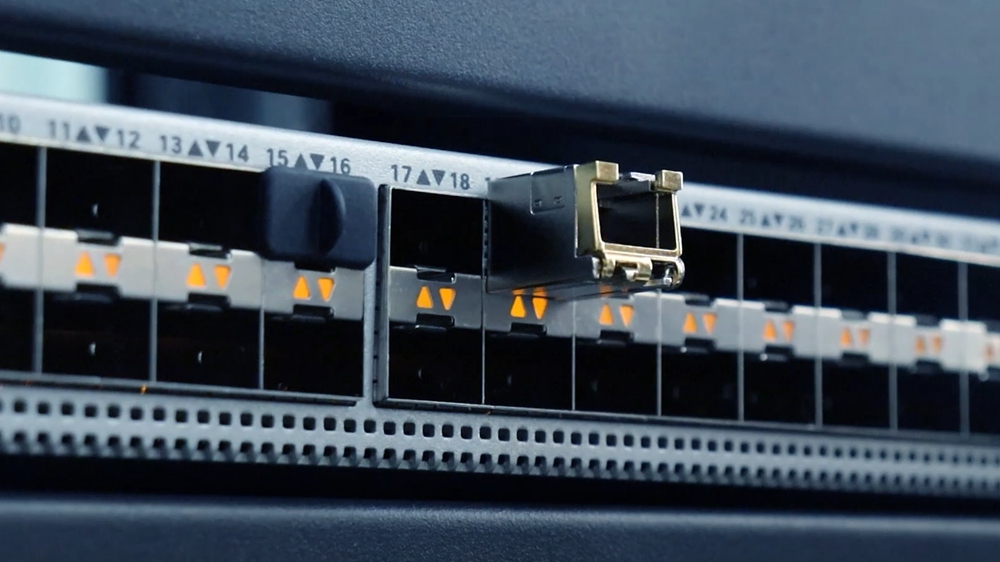
Ports are the most basic and important indicator of a switch. When making a purchase, you should first clarify how many 2.5G RJ45 ports you need to connect to terminal devices. Do you need a 10 Gigabit SFP+upstream port to interface with core switches or higher-level devices? The mainstream configurations on the current market include 2.5G electrical port solutions with 5, 8, 16, and even 24 ports. Some high-end models also include 1-4 additional 10G SFP+ optical ports, ensuring current performance while leaving room for future expansion.
At the same time, attention should be paid to the multi-rate compatibility of ports. An excellent 2.5G switch should support 100M/1G/2.5G adaptation, ensuring backward compatibility with all your existing devices. Whether it’s the latest 2.5G NAS, Wi-Fi 7 AP, or old 100Mbps printers, it can automatically match the best speed for operation.
2. Power supply capability
If you have wireless APs, IP cameras, access control systems, and other devices in your network that require power over Ethernet (PoE), PoE functionality is crucial. When making a purchase, three factors should be considered: the PoE level (PoE 30W, PoE+ 30W, PoE+ 60W/90W), whether the total power budget is sufficient to support all powered devices, and whether the heat-dissipation design is reliable. Adequate and stable PoE capability can greatly simplify wiring and reduce the clutter of external power supplies.
Recommended products
-
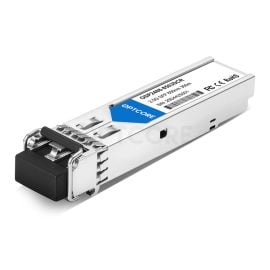
Optcore 2.5G Multi-mode 850nm 300m SR SFP Transceiver
US$ 17.00 (Excl. VAT) -
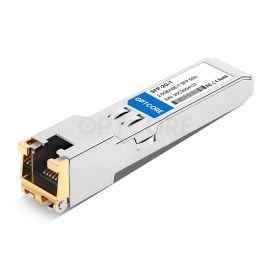
Generic SFP-2.5G-T Compatible 2.5GBASE-T Copper SFP RJ-45 50M Transceiver
US$ 23.00 (Excl. VAT) -

1G/2.5G/5G/10GBASE-T RJ45 Copper Ethernet to 10G SFP+ Fiber Media Converter
Price range: US$ 89.00 through US$ 208.00 (Excl. VAT) -
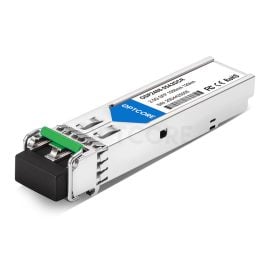
Optcore 2.5G SFP LR-2 Singlemode 1550nm 120km Transceiver
US$ 129.00 (Excl. VAT)
3. Network management function
This is the most common watershed when making a purchase. Non-managed switches are plug-and-play, require no configuration, and are suitable for ordinary home users and small office environments. Network-managed switches support advanced features such as VLAN partitioning, quality-of-service priority control, Link Aggregation (LACP), ACL-based port security, DHCP listening, etc., which enable better network segmentation and traffic management, making them more suitable for enterprise environments and network enthusiasts. If you need to isolate IoT device networks, prioritize game traffic, or use multiple WAN routers for load balancing, a managed switch will do more with less.
4. Chip Solution and Quality
The “heart” inside the switch – the switching chip- directly affects the stability, power consumption, and performance of the product. The current mainstream solutions in the market include Realtek and Broadcom. Broadcom chips are known for their good compatibility, fast speed, and high stability, and are typically used in high-end product lines; Realtek chips are known for their low cost and high cost-effectiveness, and are widely used in entry-level and mid-range products. In addition, emerging chip solutions from companies such as MaxLinear have been successfully applied to some products. In addition to the chip itself, process details such as body material (a metal body is usually better for heat dissipation), power specifications, and fan design (no fan is quieter, but attention should be paid to whether heat dissipation is in place) are also worth considering.
The Most Noteworthy 2.5G Switch in 2026
1. TP-Link TL-SG105S-M2 / TL-SG108S-M2
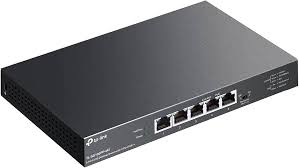
For most home users, these two unmanaged TP-Link switches are options that require no additional preparation. The TL-SG105S-M2 offers 5 2.5GbE ports, a compact form factor, and excellent heat dissipation through its metal casing. It has a switching capacity of up to 25 Gbps and supports plug-and-play, making it the best-selling “computer network card switch” on Amazon. TL-SG108S-M2 increases the number of ports to 8 and provides 40 Gbps of switching capacity, making it more suitable for home offices or small workgroups with many devices. Both support automatic negotiation function (100M/1G/2.5G adaptive). It adopts a fanless, silent design, so there is no noise when placed in a study or audio-visual room.
2. QNAP QSW-2104-2T-R2 and UGREEN 6-port
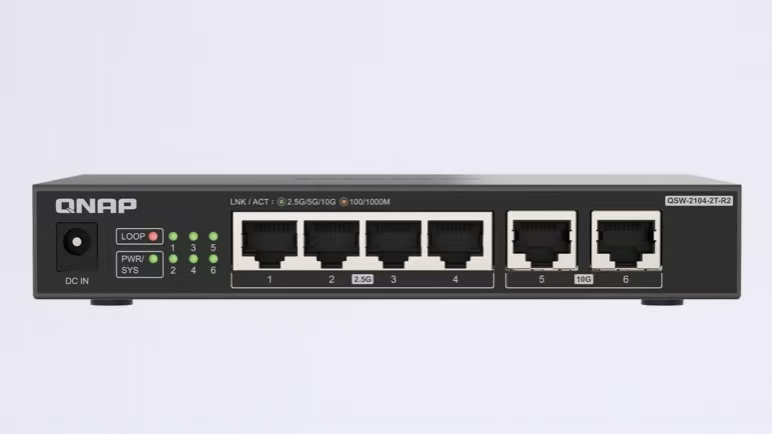
If you have a large number of 2.5G devices in your network and need to connect to 10G NAS or 10G workstations, a hybrid switch with 10G upstream ports is the best choice. The Wei Lian Tong QSW-2104-2T-R2 provides 4 2.5GbE electrical ports and 2 10GbE ports, without requiring plug-and-play configuration. It supports seamless integration with Wi-Fi 6/6E/7 and is compatible with existing Cat5e/Cat6 cabling. UGREEN’s 6-port 2.5G switch features 5 2.5G RJ45 ports and 1 10G SFP+ port, with support for link aggregation and VLAN mode, making it well-suited for home laboratories or small studios that need flexible expansion.
3. NETGEAR MS308E
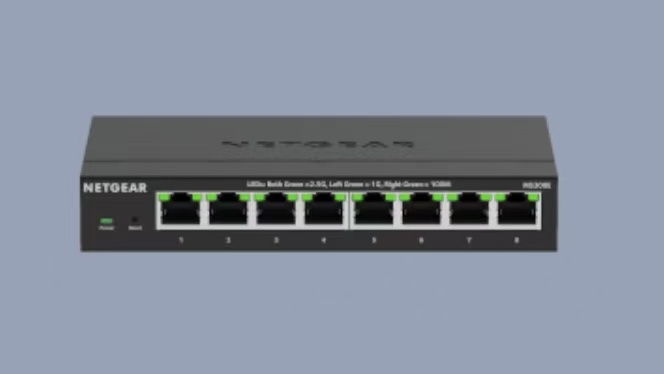
For advanced users who pursue refined network management, the NETGEAR MS308E is a 2.5G switch that combines performance and manageability. It is equipped with 8 1G/2.5G adaptive ports, supports VLAN configuration and link aggregation via the web interface, runs quietly, and has good heat dissipation. Although some users have reported a learning curve during initial setup and a slightly higher price than entry-level products, its excellent performance at multi-gigabit speeds and sturdy build quality still make it a strong choice for high-speed LAN environments.
4. Ubiquiti Flex Mini 2.5G / Flex 2.5G 8 PoE
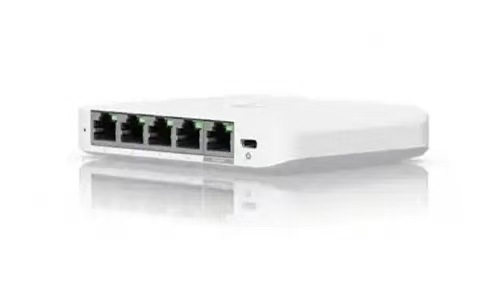
If you have already built the Ubiquiti UniFi ecosystem, then these two switches are undoubtedly the best native expansion options. Flex Mini 2.5G (USW-Flex-2.5G-5) is a minimalist 5-port 2.5GbE managed switch that can be powered via PoE or USB-C, consumes extremely low power, and supports the UniFi unified management platform. Flex 2.5G 8 PoE goes further: all 8 2.5GbE RJ45 ports support PoE+ (up to 64W per port), plus 1 10GbE RJ45 upstream port and 1 10G SFP+ port, with a switching capacity of up to 60 Gbps, suitable for edge network scenarios that require centralized power supply. For users deploying Wi-Fi 7 APs, security cameras, or outdoor IoT devices, Flex 2.5G 8 PoE is like a ‘Swiss Army knife’ – combining high-performance connectivity with a flexible power supply.
5. D-Link DMS-106XT
If you are an esports player with zero tolerance for network latency or a video creator who needs to frequently transfer large files, D-Link’s DMS-106XT is worth a look. It offers 5 2.5GbE ports and 1 10G upstream port, and its most distinctive feature is Turbo mode, which enables ultra-low latency and port-based quality-of-service priority control, ensuring that gaming or streaming traffic always receives optimal network resources. At the same time, it adopts an aluminum alloy body, multi-color LED status lights, and a silent fanless design, balancing aesthetics and reliability.
FAQs
Q: My broadband at home is only 500M/1000M, is it necessary to install a 2.5G switch?
A: Upgrading the switch not only improves the speed of the external network but also enhances the transmission capability within your local area network. Even if the broadband is only gigabit, the speed of backing up photos and transferring high-definition movies from a NAS to a TV can jump from the traditional gigabit limit to 2.5G, an increase of up to 2.5 times. More importantly, future broadband upgrades are inevitable, and laying out 2.5G “highways” in advance will be a wise investment that balances present and future needs.
Q: Is the 2.5G switch overheating? Do you need to buy a model with a fan?
A: The vast majority of 5-port-to-8-port household-grade 2.5G switches on the market use a fanless passive-cooling design, which is completely silent in operation and keeps heat generation within an acceptable range. Only large switches with 16 or more ports, or high-power PoE switches, will be equipped with active cooling fans. If you are sensitive to noise, simply identify the “Fanless” label when making a purchase, and be sure to place the switch in a well-ventilated location during daily use.
Q: Which should I choose between an unmanaged switch and a managed switch?
A: For the vast majority of home users, the plug-and-play feature of unmanaged switches is sufficient for daily use. But if you have any of the following requirements, it is recommended to choose a managed switch in one step: you need to allocate independent VLANs for IoT devices to enhance security, you need QoS to give higher priority to gaming or video conferencing traffic, you need to improve NAS connection bandwidth through link aggregation (LACP), or you are a Homelab player who loves to tinker.
Q: Can a 2.5G switch be mixed with my existing gigabit/100Mbps devices?
A: Absolutely. 2.5G switches that comply with the IEEE 802.3bz standard support multi-rate adaptation, and automatically negotiate to the highest speed supported by both parties when connected to gigabit or even 100Mbps devices, ensuring stable coexistence of all new and old devices on the network.
Conclusion
Starting in 2024, with the widespread adoption of Wi-Fi 7 routers and 2.5G motherboards, the price of 2.5G switches has dropped significantly, making them very affordable. With a budget of a hundred, you can end the gigabit bottleneck on your local area network and reserve ample bandwidth for future network needs in the coming years. Whether you are a NAS beginner or a digital player building whole-house intelligence, a suitable 2.5G switch is an essential part of your network transformation plan.
Read more
- The 9 Best Enterprise Network Switches for 2026
- OM1 vs OM2 vs OM3 vs OM4 vs OM5: What’s the Real Difference and Which One Should You Choose?
- What is 2.5 Gigabit Ethernet? A Beginner Guide
